New Media Tools · Self-Hosted · Cross-Platform

webcool

Your Private Files, Always Within Reach

webcool is a private file management ecosystem: the backend and Web console handle the remote virtual disk, server local disk, tag tree, locks, recycle bin, backup migration, and rich previews, plus video editing, video enhancement, and AI photo restoration; the iOS / Android apps bring phone access, album sync, offline cache, LAN discovery, and video casting.

Live demo: Open https://demo.webcool.cn/ and sign in with the credentials below to explore the webcool file console.

Username demo Password 111111
Web Console
iOS Native App
Android Native App
webcool remote disk overview
📷 Album Backup
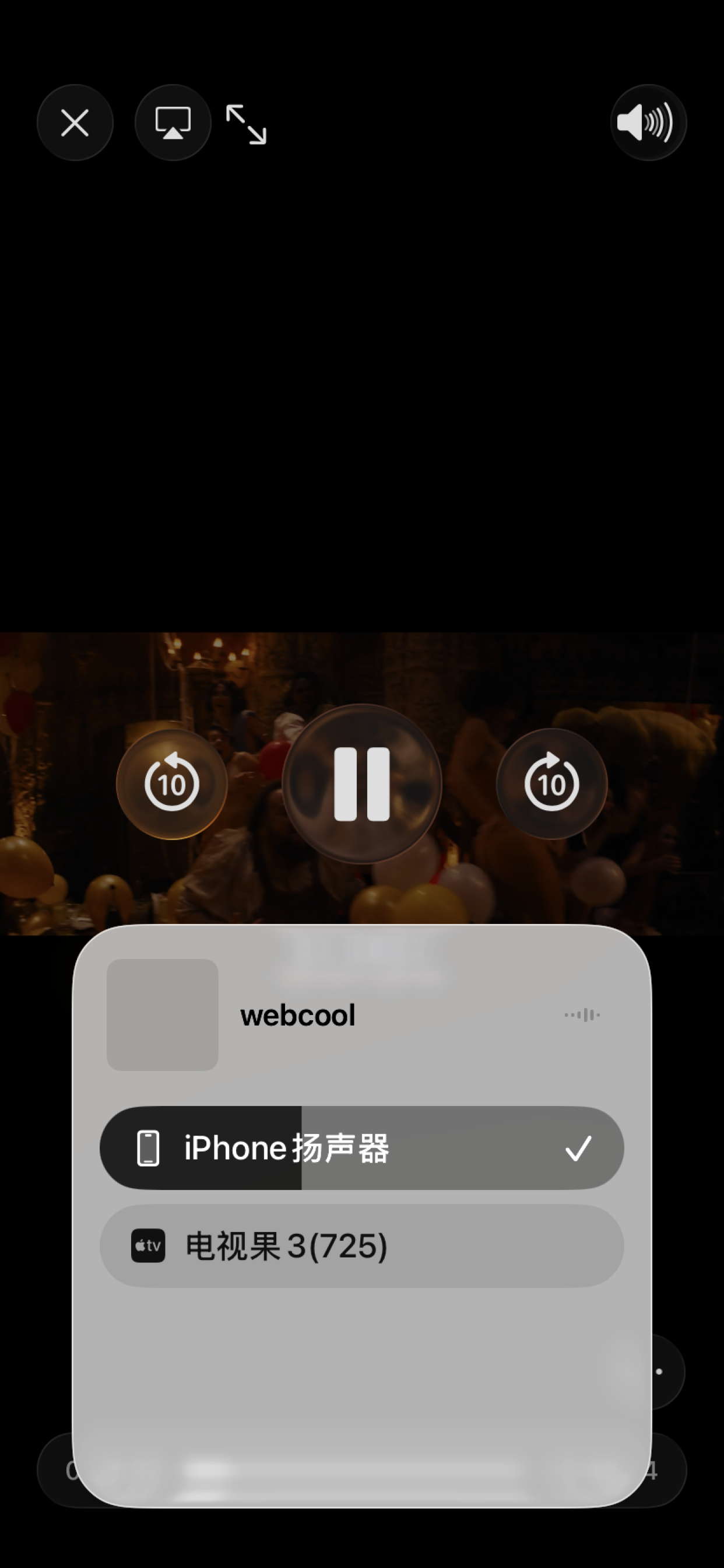
📺 Video Casting
✂️ Video Editing
AI Photo Repair

Server + Mobile, A Complete Private File Ecosystem

The backend and Web console serve one private file workspace, while iOS and Android apps connect to the same server through the unified API. Files, tags, locks, recycle bins, and backups stay under your control.

🖥
webcool

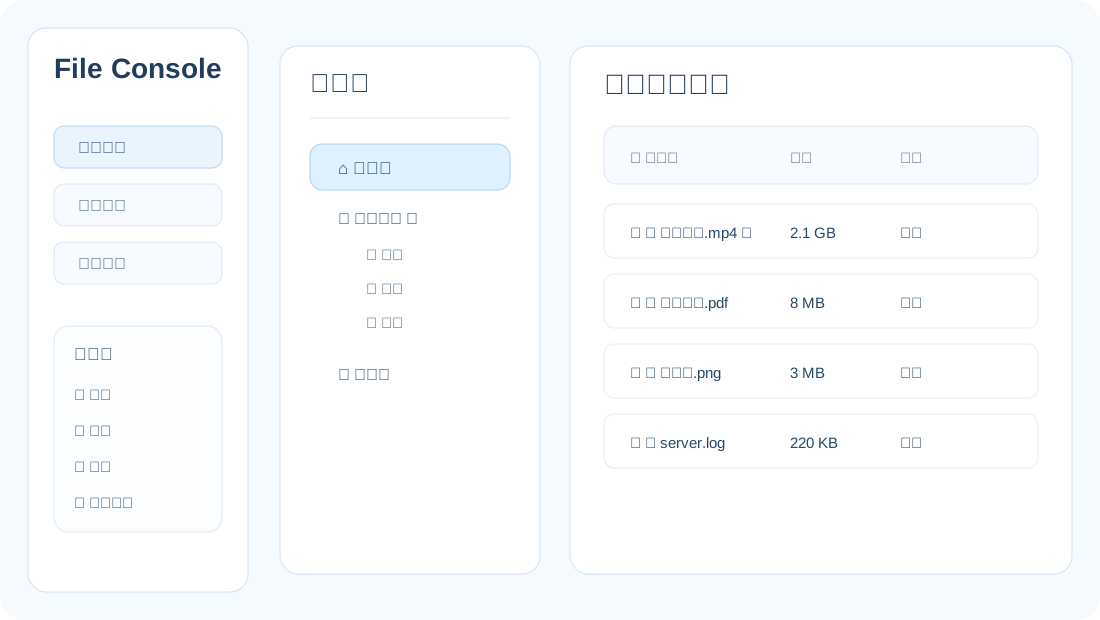
Web File Console

A high-performance C++ web service and modular Web frontend covering the full file lifecycle in the browser. Virtual and server-local disk modes, batch upload, drag-and-drop, video editing and enhancement, AI photo restoration, document preview, backup sync, storage migration, and user access control.

  • Virtual & local disk with list / split views
  • Drag upload, batch move, Shift multi-select to recycle
  • Video editing, audio/subtitle tracks, keyframe & screenshot export
  • Video enhancement, AI upscaling & old-video restoration preset
  • Photo deblur, red-eye/watermark removal & face restoration
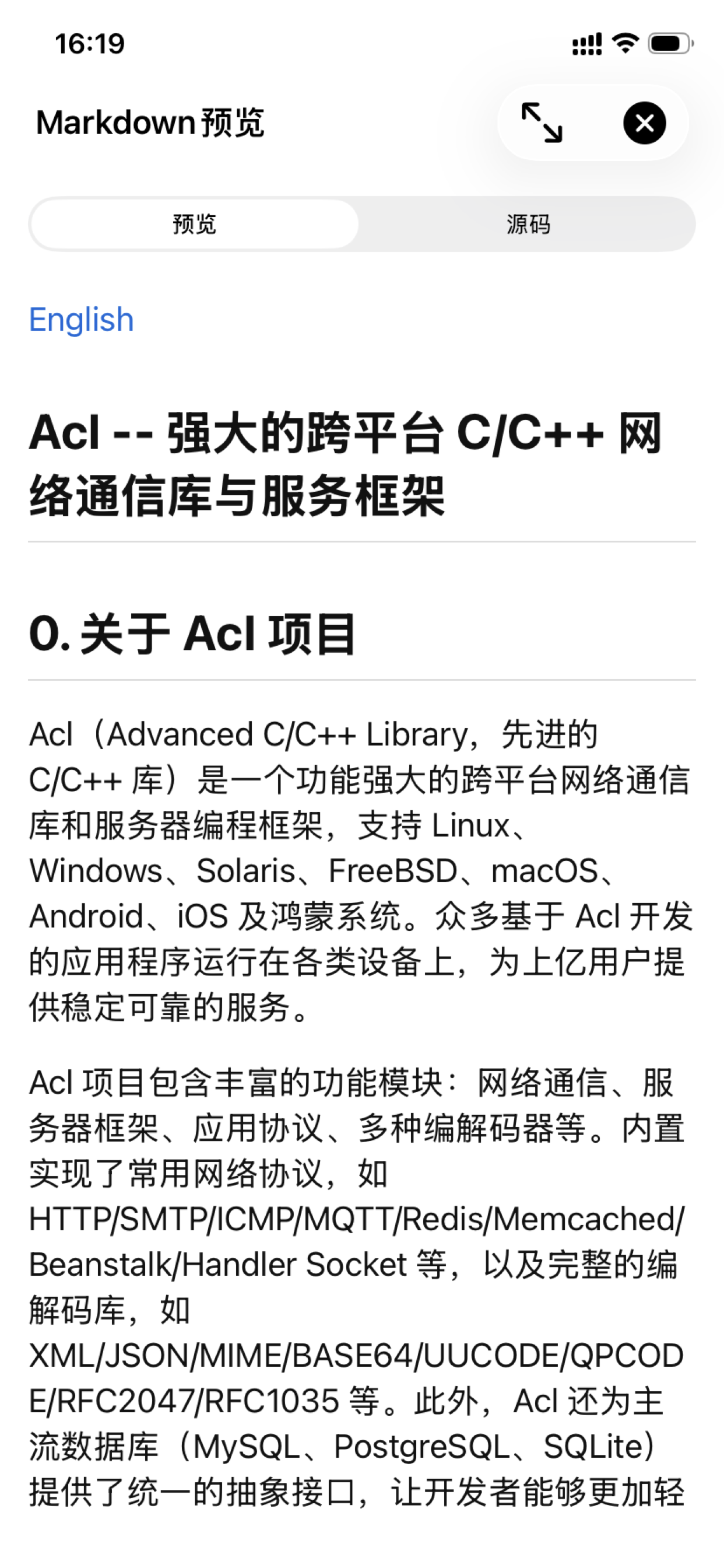
  • PDF, Office, Markdown, HTML, XMind online preview
  • Backup paths, auto sync, safe storage path migration
  • macOS / Linux / Windows installers with bundled ffmpeg & sqlite
  • User management, local disk permissions, zh/en UI
📱
Mobile

Native Mobile Client

Native iOS and Android apps call webcool's existing /api/v1/* endpoints and align with core Web capabilities. Android is distributed through the download page, and iOS is installed from the App Store.

  • Login, register, change password, Bearer token auth
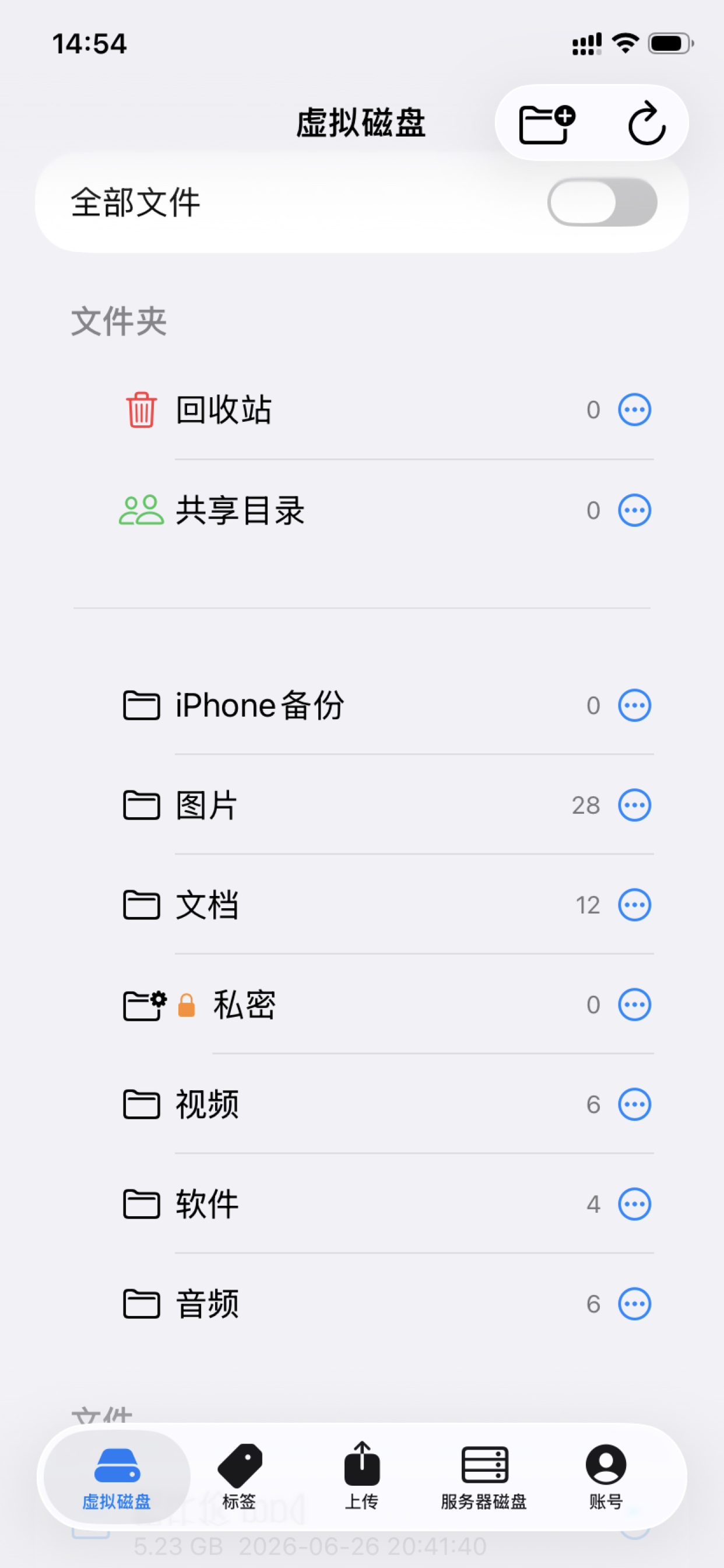
  • Virtual disk browse, upload, move, lock / unlock
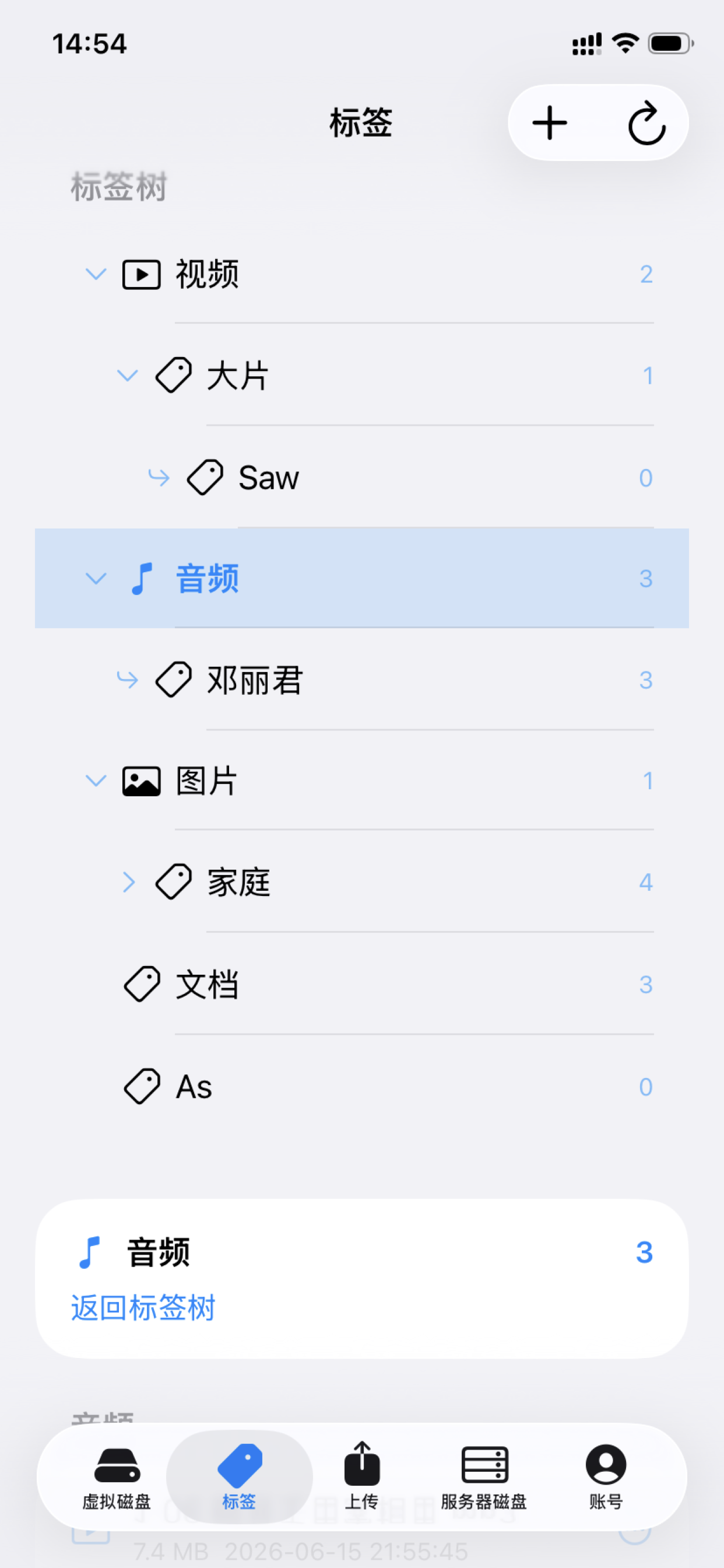
  • Tag tree: create, move, delete tags, bind files
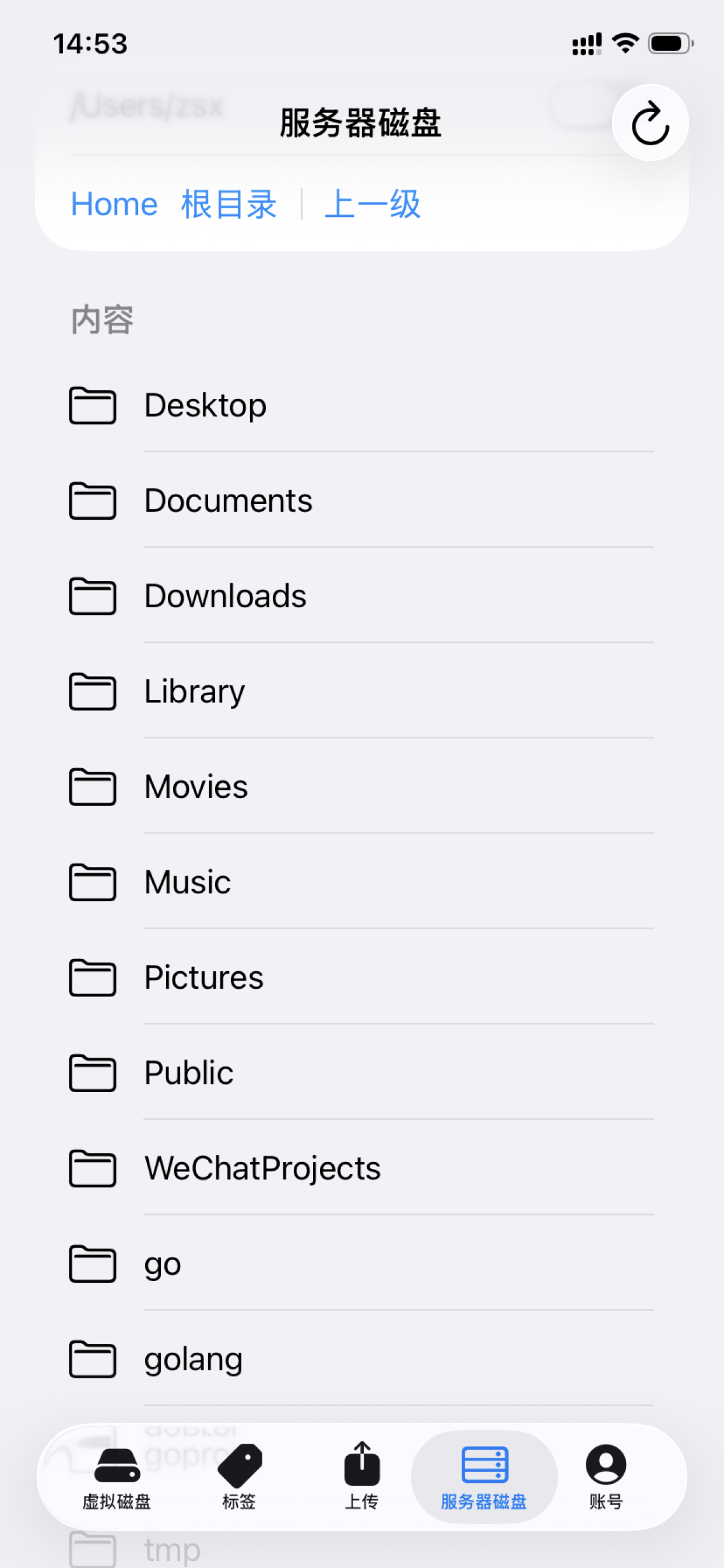
  • Server disk browse (permission-based)
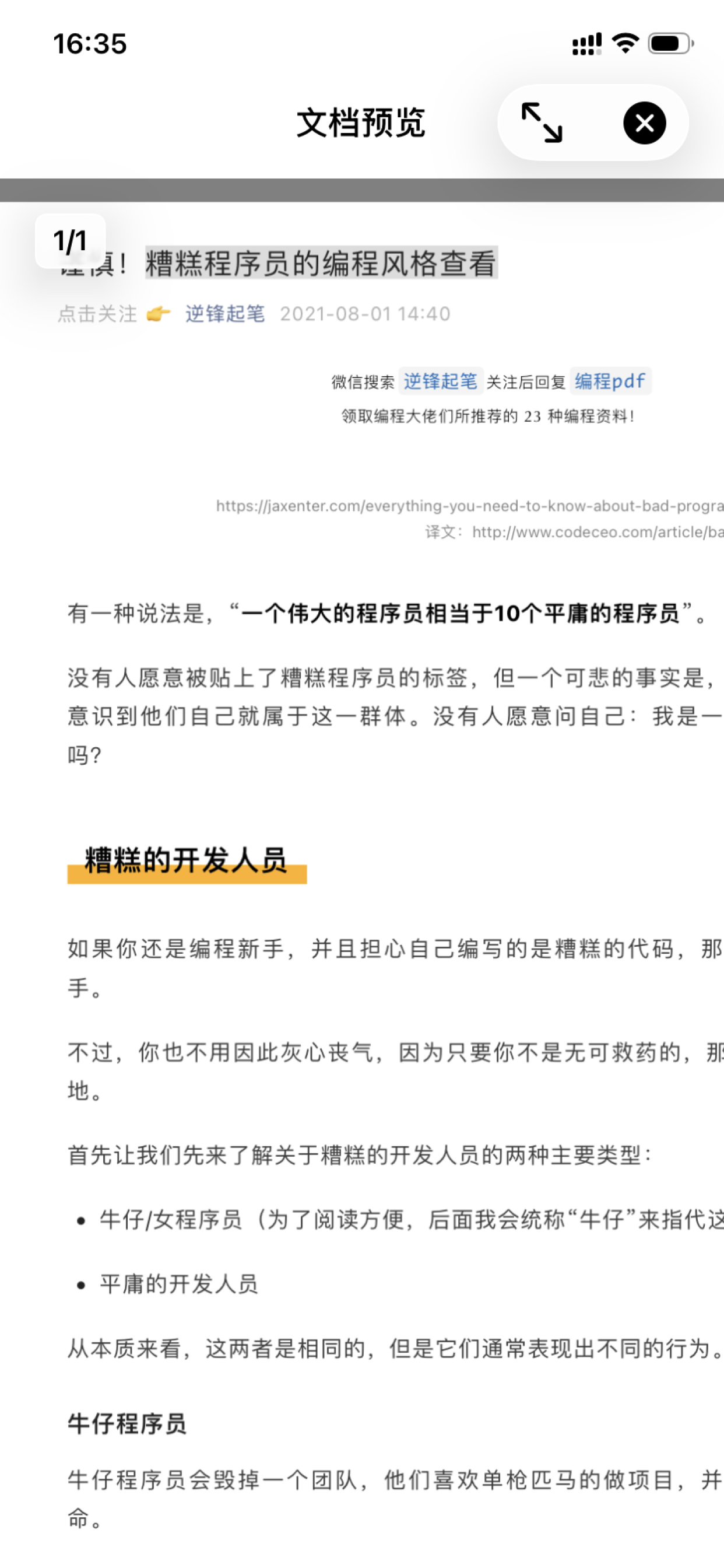
  • Document preview: PDF, Office, Markdown, code / text
  • Phone album backup: incremental, full resync, sync by date
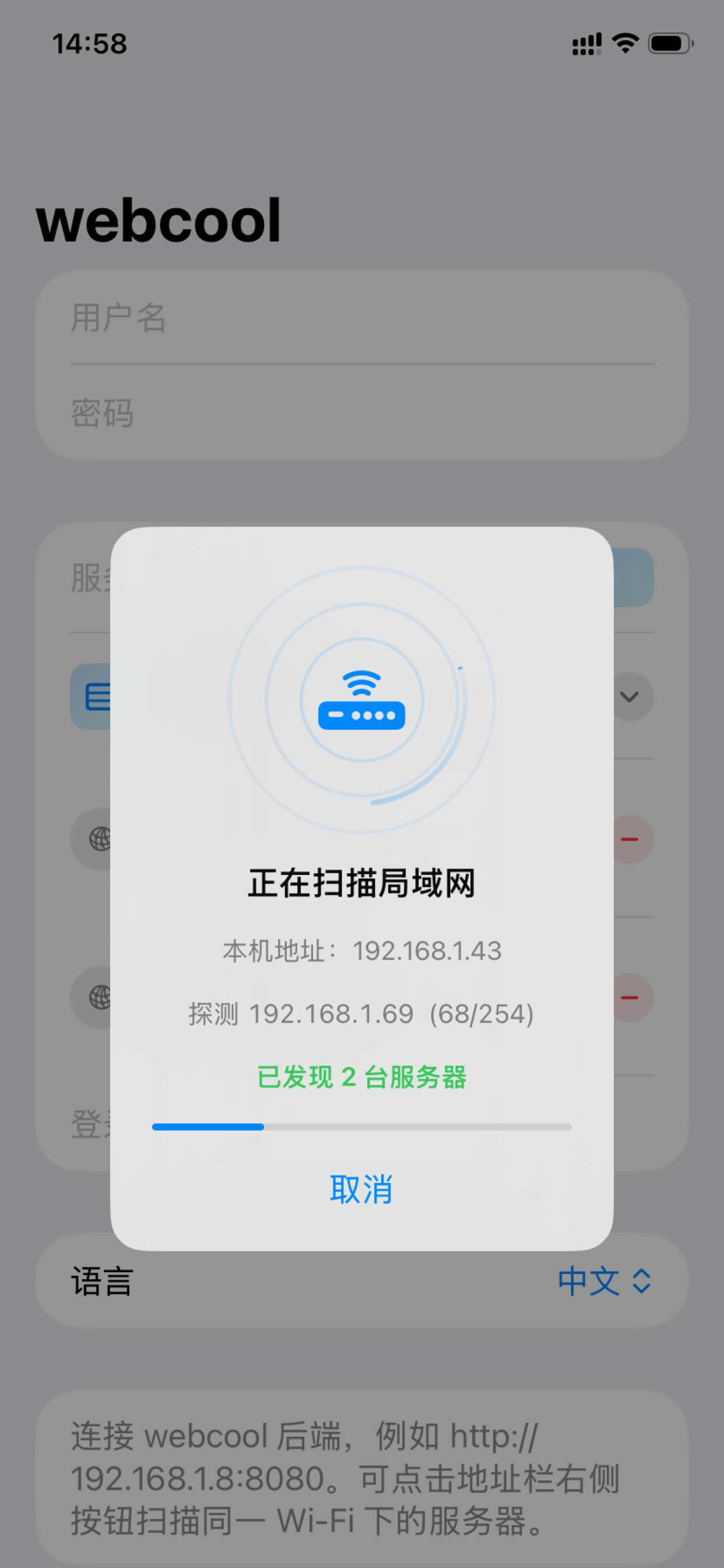
  • Wi-Fi LAN scan to auto-discover webcool servers
  • Video cast: iOS AirPlay, Android Google Cast & DLNA

Lightweight, Not Basic

From file browsing to media preview, tag organization to security locks — webcool browser and mobile together form a practical private file management solution.

📂

Dual Disk Management

Virtual disk for uploads, local disk for server filesystem — both with list and split views.

🏷

Tag Tree

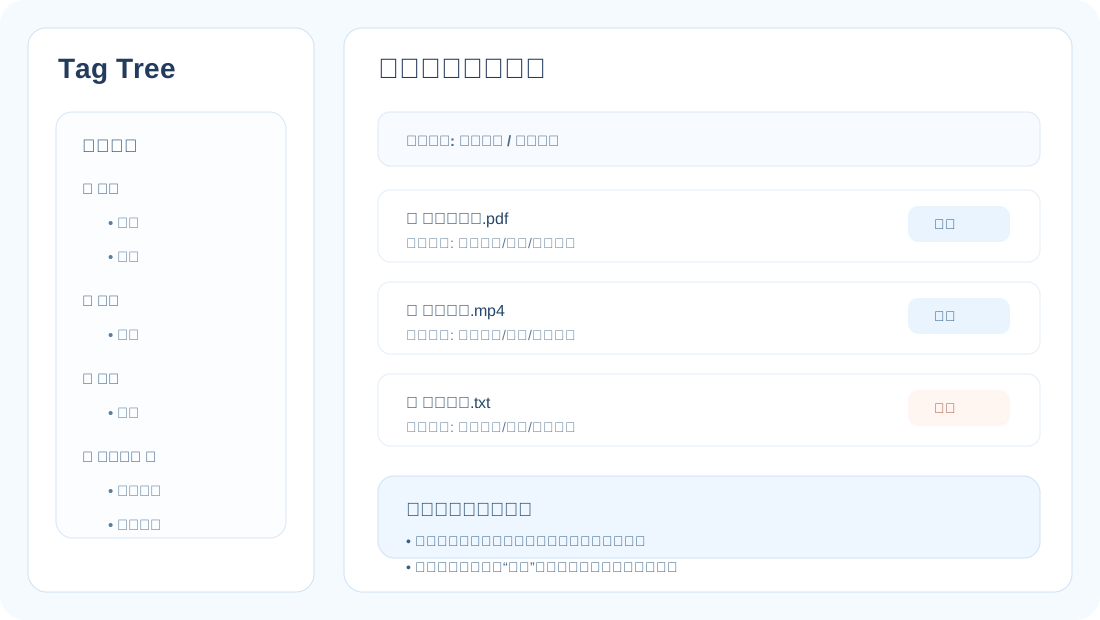
Cross-directory topic organization, sub-tags, batch tagging; tag-view delete only removes references.

🎬

Media Preview

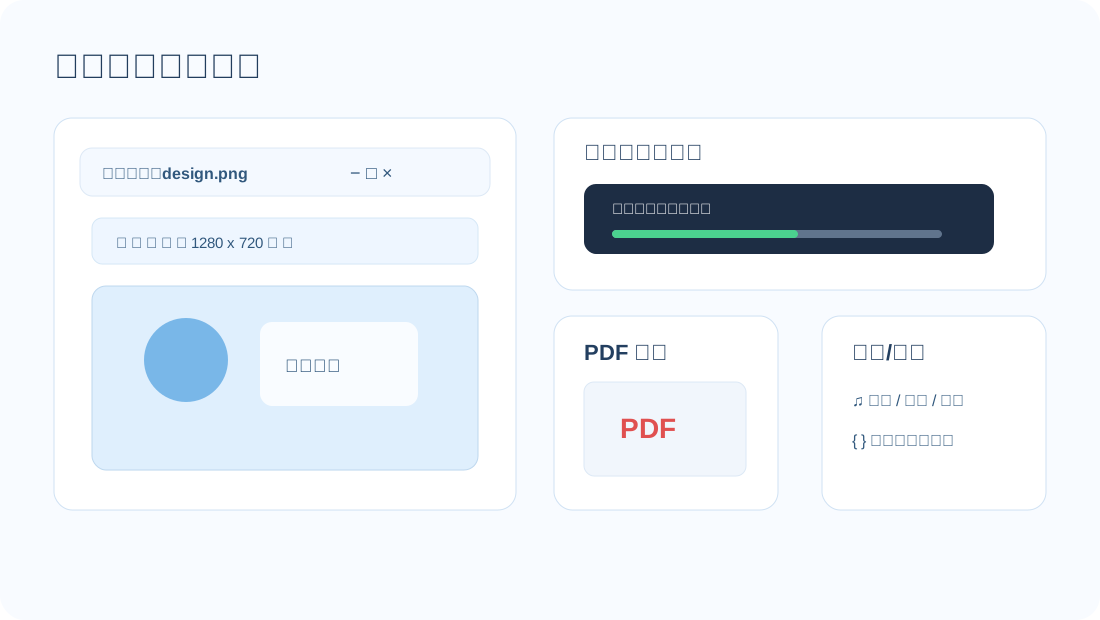
Open images, video, and audio online; inspect and resume video, use audio play modes, or rotate/crop/scale/save images.

✂️
NEW

Video Editing Studio

Trim, change speed, mute, manage audio/subtitles, rotate, flip, crop and resize, then export a new MP4.

🪄
NEW

AI Photo Restoration

Deblur, AI 2×/4× upscale, restore or reconstruct faces, remove red-eye/watermarks, and adjust brightness.

🎞️
NEW

Video Quality Enhancement

Choose standard enhancement or AI upscaling, with old-video presets, denoise, pre-sharpen, deinterlace, and task progress.

📄

Document Preview

Open Office, PDF, Markdown, HTML, source text, and XMind maps directly for project docs and knowledge bases.

Upload & Transcode

Up to 50 files at once, drag to tree or drop zone; auto codec detection, ffmpeg transcode with progress.

🔐

Lock System

Lock dirs, files, tags with inheritable dir locks; frontend + backend validation, rename syncs lock data.

💾

Backup & Migration

Multi backup paths, upload auto-sync, manual backup sync; storage path change requires migration confirm.

🗑

Recycle Bin

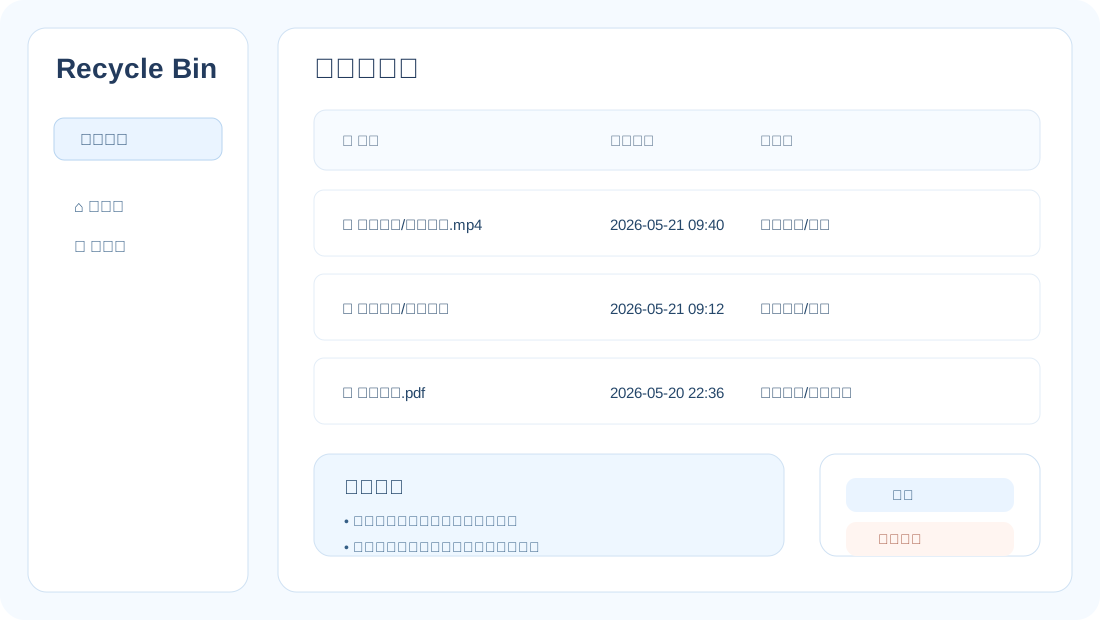
Remote files to webcool recycle bin, local dirs to system trash; batch restore or permanent delete.

👥

Users & Permissions

Admin vs regular users; separate local disk access control; account settings for password & language.

📷

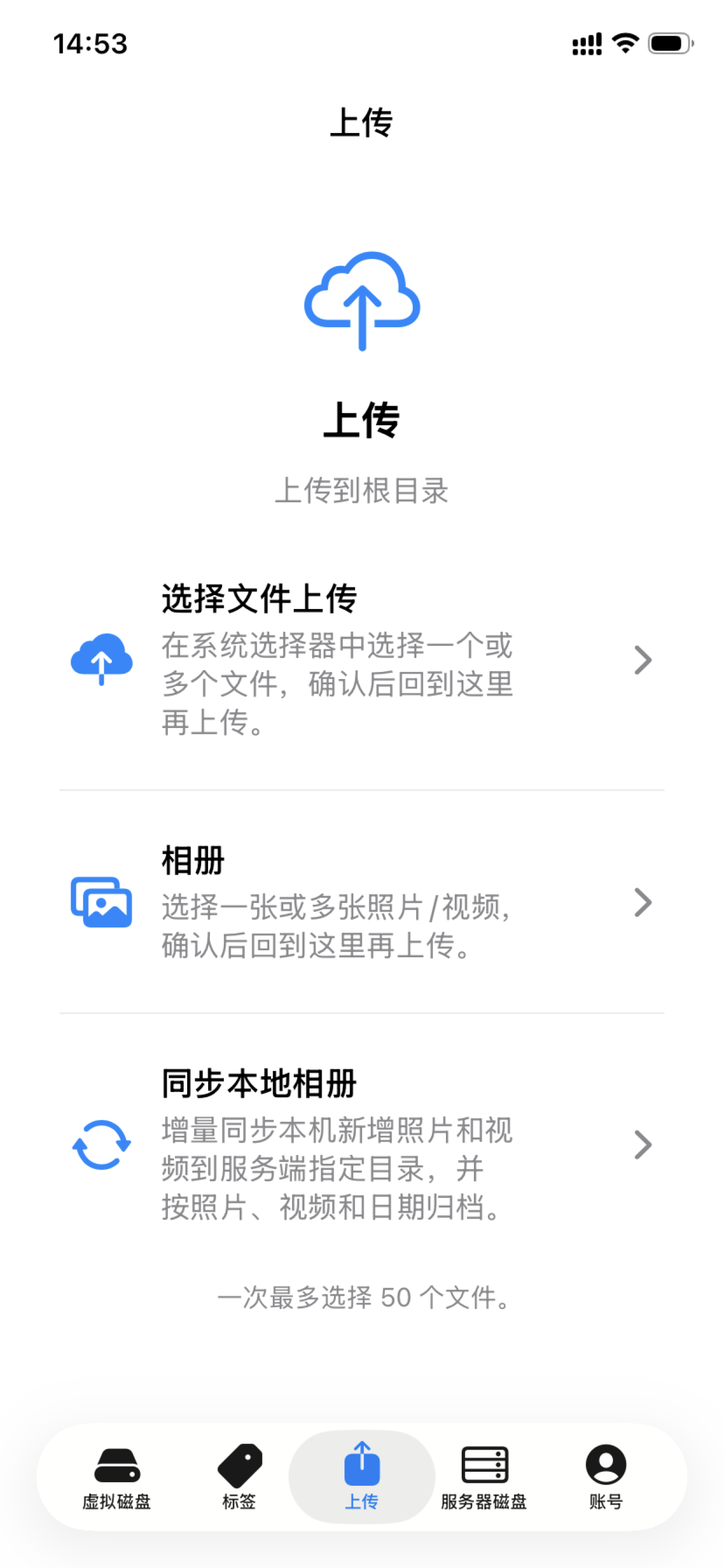
Phone Album Backup

Sync local photos & videos to webcool virtual disk: incremental backup, full resync, or sync from a chosen date; auto-archive by year/month/day folders.

📺

Mobile Video Casting

Cast from video preview to TV: iOS AirPlay; Android Google Cast with DLNA discovery, resume from current position.

📡

Mobile LAN Discovery

Mobile apps scan for webcool servers on the same Wi-Fi — one-tap connect, no manual IP entry.

📦

Offline Cache

Mobile apps can cache remote files and prefer local cache for browsing and preview in manual offline mode, so long trips still have music and videos without a connection.

Edit and Restore, Right Beside Your Files

No download-and-import detour. Open the tools from a video or image on either virtual or server-local disk; processing runs on the server and keeps the source intact.

VIDEO EDITOR MP4

From Selection to Export in One Place

Preview while choosing in/out points, then combine visual, speed, sound, and track settings—ideal for clips, music replacement, subtitles, or alternate aspect ratios.

  • Edit: range trim, 0.5×–4× speed, volume and mute
  • Tracks: keep, remove or replace audio/subtitles; export originals
  • Frame: rotate, flip, and crop to 16:9, 9:16 or 1:1
  • Assets: capture a frame or export keyframes, with sharpen/AI upscale
PHOTO RESTORATION AI

Make Blurry, Low-Resolution, or Damaged Photos Useful Again

Choose anything from light adjustments to deeper AI restoration. Real-ESRGAN upscales, Restormer handles motion/defocus blur, and CodeFormer restores faces.

  • Clarity: sharpen, deblur, denoise, and AI upscale at 2× or 4×
  • Portraits: face restoration, main-face priority, white-mask reconstruction
  • Defects: automatic red-eye removal and selected-area watermark repair
  • Control: tune brightness, fidelity, model, and compute unit
01

Open from a fileWorks on virtual and local disks

02

Background processingTrack progress and cancel anytime

03

Create a new fileNever overwrite the source video or photo

AI upscaling, face restoration, deblurring, and red-eye removal require the corresponding models or runtime components. Available models and speed vary by package, platform, and hardware.

Upload, Detect, Transcode, Preview — One Connected Flow

webcool doesn't stop at storing files — it continues with playback compatibility, connecting file management, media consumption, and long-term operations.

1

Select & Upload

Drag or select up to 50 files, pick a virtual disk folder, with live progress, speed & pause controls.

2

Codec Detection

After upload, auto-detects if audio codec suits browser playback — AC3 etc. triggers a prompt.

3

Transcode On Demand

Built-in ffmpeg support (bundled in installer packages), progress shown, then play or resume online.

4

Organize & Protect

Tag across dirs, lock sensitive content, sync backups to mirror paths, delete goes to recycle bin.

Mobile Album Backup · Three Sync Modes

Incremental

Upload only new photos & videos since last sync — ideal for everyday backup.

Full Resync

Reset checkpoint and re-upload from scratch — for folder changes or full redo.

Sync by Date

Pick a start date to sync media after that point; auto-archive into year/month/day folders.

Smooth on Browser and Phone Alike

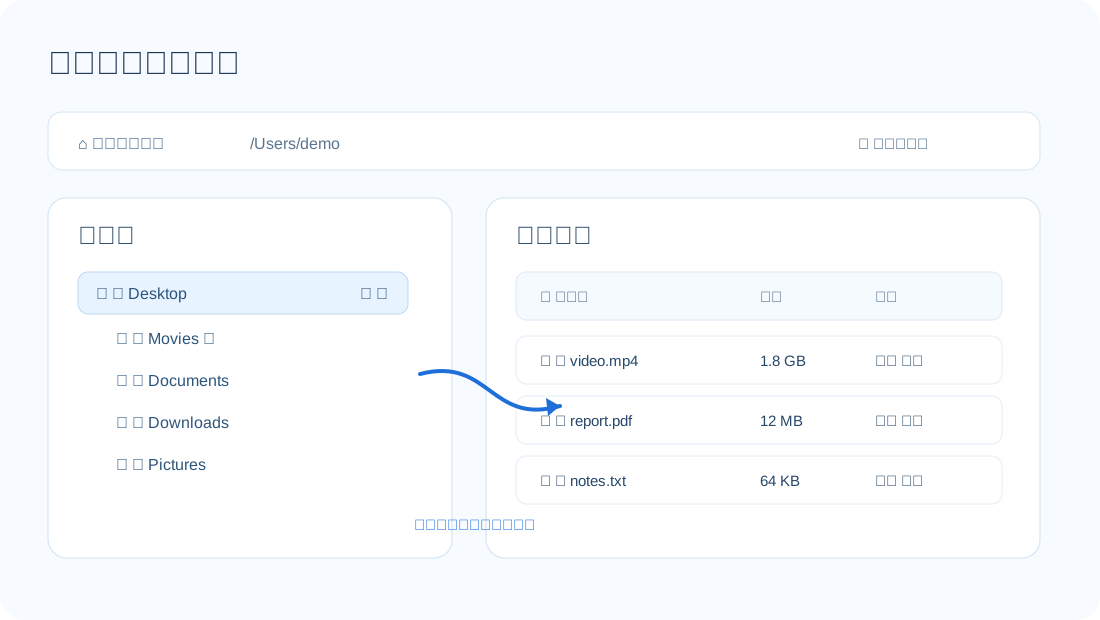
Remote disk overview

Virtual disk overview — directory tree, file list, tags & recycle bin

Local disk split view

Local disk column mode — browse the server filesystem directly

Tag tree

Tag tree — organize files by topic across directories

Media preview

Media preview & editing — video editing/enhancement, AI photo restoration, audio playback, and mobile casting

Recycle bin recovery

Recycle bin — recover accidental deletes, batch restore or permanent delete

Security and admin

Lock system & admin — storage migration, backup sync, language & user permissions

Major File Workflows, Right on Your Phone

iOS / Android apps share the same backend with the Web console: login, virtual disk, server disk, tags, album sync, document preview, PDF reading, video casting, account and cache.

webcool iOS login and server connection
Login
webcool iOS virtual disk
Virtual Disk
webcool iOS server disk
Server Disk
webcool iOS tag tree
Tags
webcool iOS album sync
Album Sync
webcool iOS document preview
Document Preview
webcool iOS PDF preview
PDF Reading
webcool iOS video casting
Casting

A Simple Three-Tier Architecture

📱
webcool iOS / Android · Album · Cast · Cache
🌐
webcool Backend + Web Console
💾
Storage Remote + Local Disks
Authorization: Bearer <auth_token>  ·  /api/v1/*  ·  i18n zh / en
Self-Contained Deploy Bundles webcool, sqlite, ffmpeg; Linux/macOS under /opt/webcool, Windows under C:\Program Files\webcool
Modular Frontend Separate i18n resources, features split into core, upload, preview, admin modules

Deploy Once, Access Everywhere

webcool offers macOS (.pkg), Debian/Ubuntu (.deb), CentOS/RHEL (.rpm), and Windows (.exe) installers with a self-contained runtime; mobile apps cover native iOS and Android experiences.

🖥

webcool

Linux / macOS / Windows
Browser console + installer deploy

.pkg.deb.rpm.exe
Download Server
🍎

iOS

iPhone / iPad
App Store · album backup · AirPlay

🤖

Android

Phone / Tablet
APK download · album backup · cast

Built for Real Private Environments

🎞

Home Media Creation & Repair

Manage movies, courses, music, and photos, then quickly edit video, extract assets, or restore old and low-resolution media.

Private Cloud Hub

Deploy on LAN or personal server; backup sync for redundancy; mobile albums incrementally backed up to your private space.

💻

Developer Workbench

Browse code, logs, configs & PDFs; Markdown files rendered for reading.

🎵

Multimedia Archive

Tag videos, audio, images; organize by topic across directories.

🗄

Local File Console

Manage server local disk via browser; split view drag-move, system dirs protected.

🔒

Secure File Cabinet

Directory, file & tag locks for multi-layer protection of sensitive data.

Three Steps to Your Private File Space

Install webcool server, finish browser setup, connect the mobile app on your phone — all within your LAN.

1

Install the webcool Server

Get the platform installer from the download page (macOS / deb / rpm / Windows). It serves both Web console and mobile APIs, with ffmpeg & sqlite bundled.

webcool -s 0.0.0.0:8080 -d ./uploads
2

Browser First Setup

Open the web console, create admin account; configure storage, backup & language in system settings.

http://<server-ip>:8080
3

Install webcool Mobile

Download the Android APK from the download page; install iPhone app from the Apple App Store. Connect, sync albums, browse files, or use LAN scan.

http://192.168.x.x:8080
Ops tip: Run webcool -V for version, paths, ffmpeg, etc. Default data: macOS ~/Library/Application Support/webcool/data; Windows C:\ProgramData\webcool\uploads.